Product
How to send USDC to friends who don't have a wallet yet
Send stablecoins in seconds. No wallet address. No crypto experience required.
Send stablecoins in seconds. No wallet address. No crypto experience required.


Most crypto apps require the other person to already have a wallet before you can send anything. Until now, that meant asking your friend for a wallet address but with Ramp Network Wallet, that's no longer a requirement.
Just generate a payment link for any amount of USDC, share it however you want (WhatsApp, text, email, anywhere) and they claim the funds directly after downloading the app. No wallet address or setup required on your end.
Here's exactly how it works.
A USDC payment link is a shareable URL that holds a specific amount of USDC on the Base network. The sender creates the link inside the Ramp Network app and sends it to anyone they want, the recipient doesn't need to have a crypto wallet already.
The short version: you lock in the amount, generate a link, share it, and the other person claims it. If they don't claim it within 48 hours, or if you cancel it manually, the funds return to your wallet.
Here's the full flow from inside the Ramp Network Wallet app:
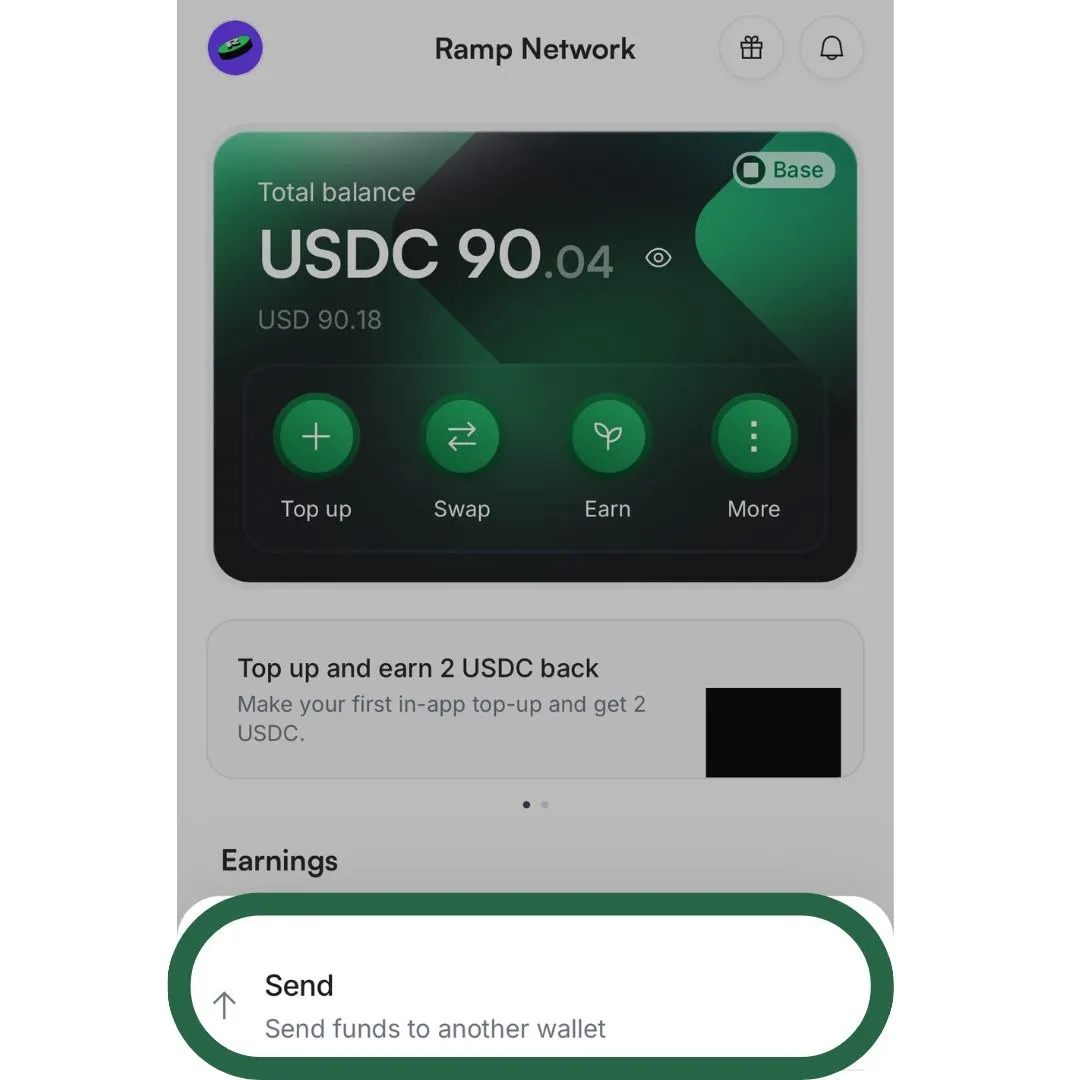
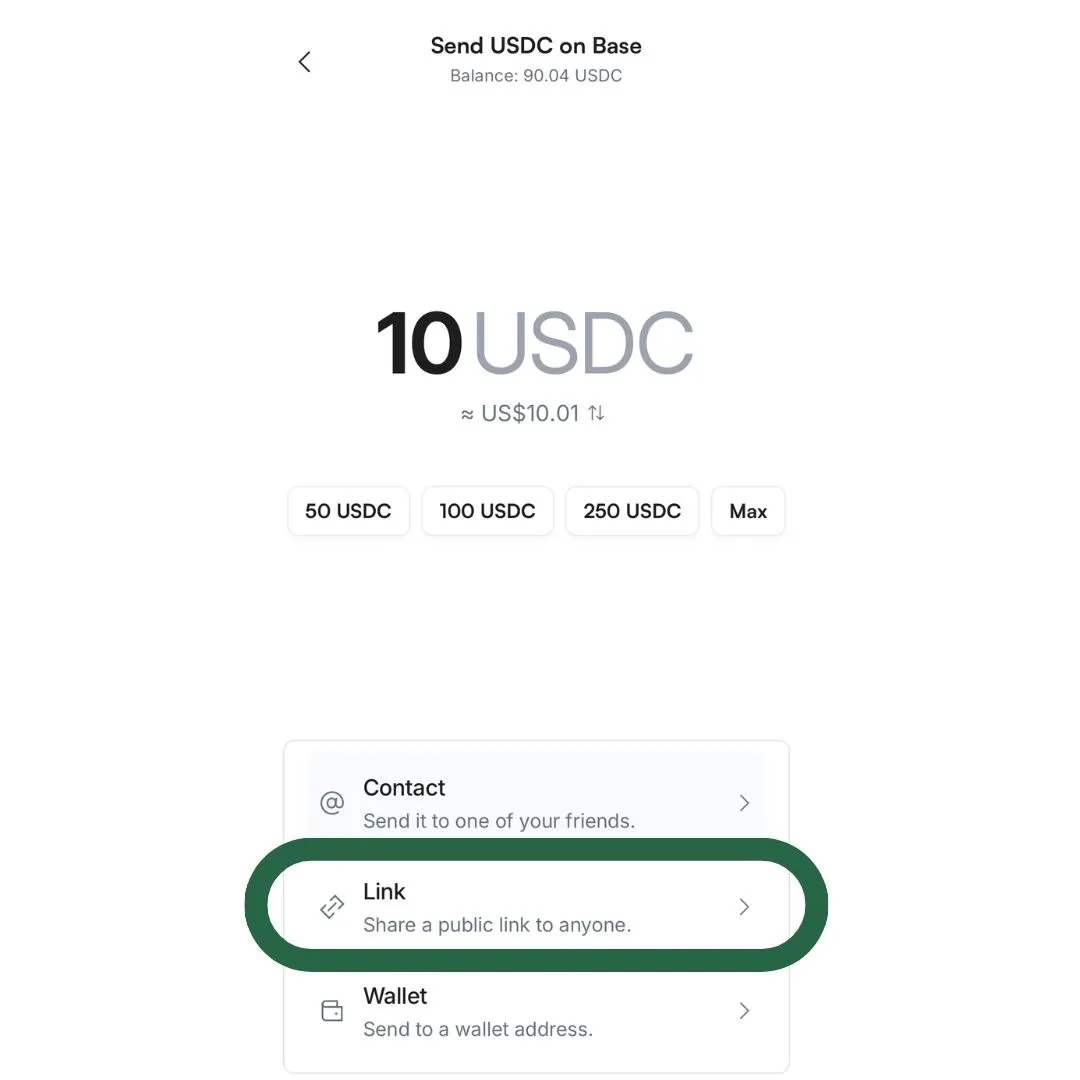
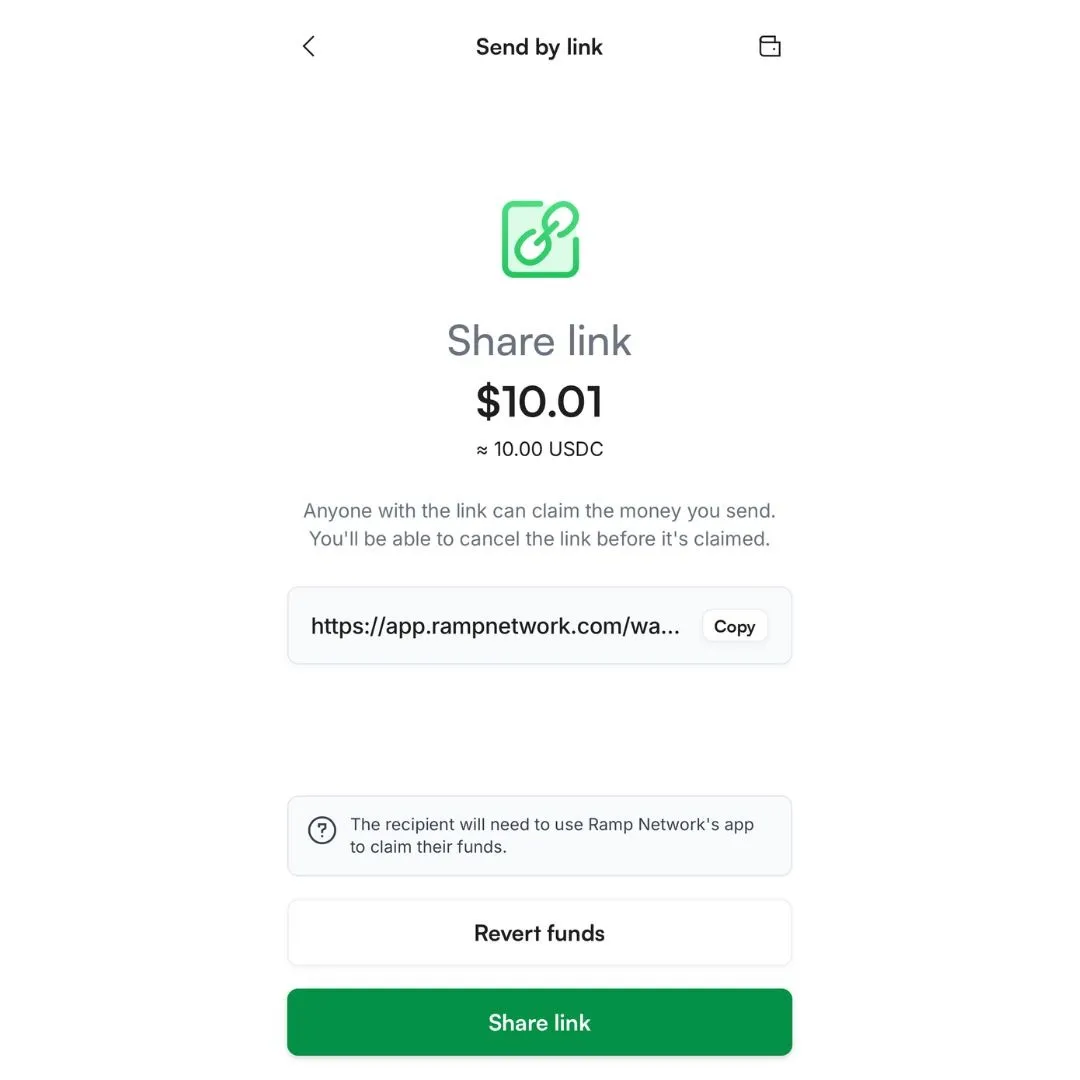
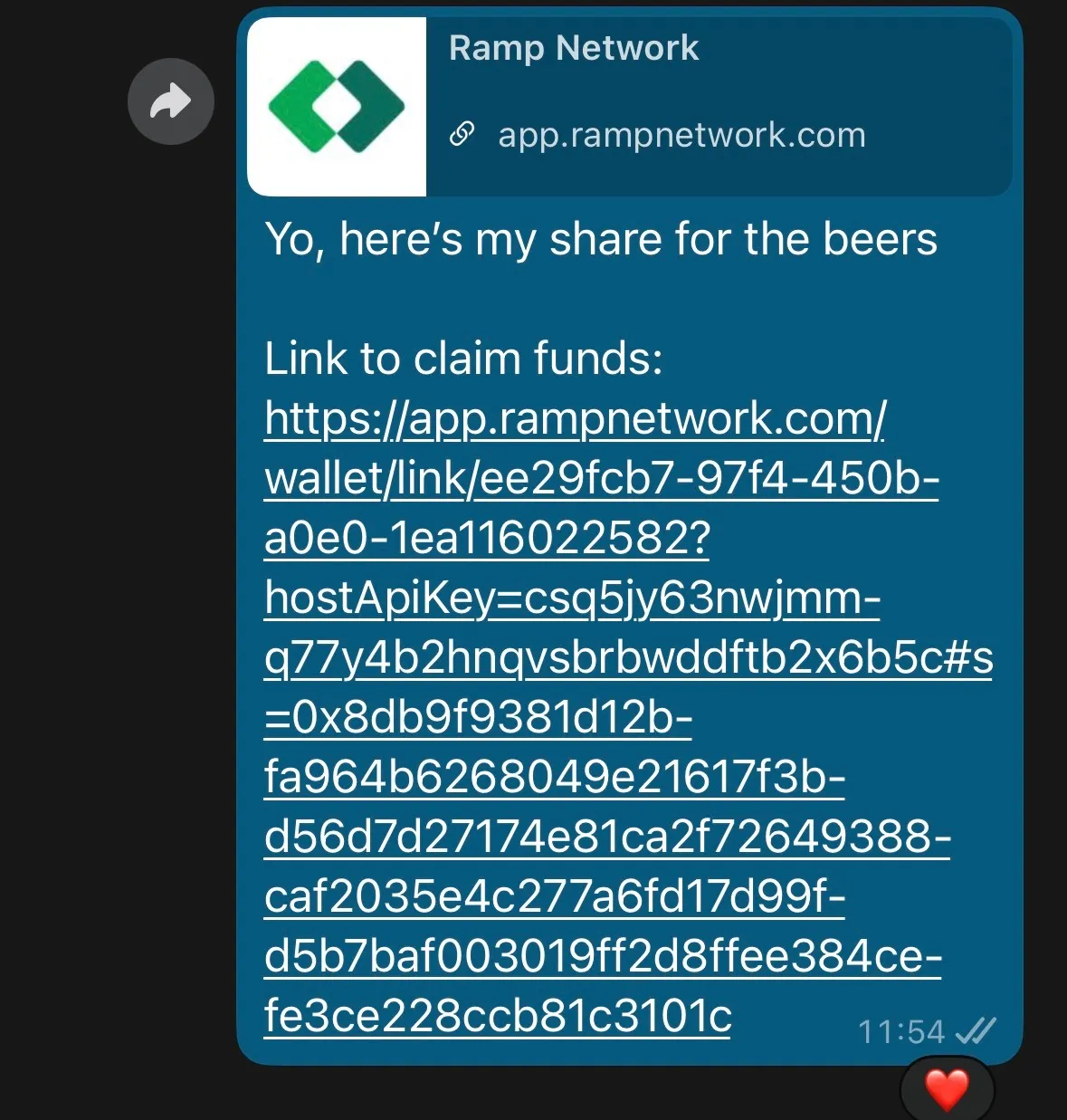
That's it. Once shared, your job is done.
The recipient receives the link and follows the steps on their end to claim the funds.
The person receiving the link doesn't need a Ramp Network account before they get the link. Here's what they do after opening it:
Payment links expire automatically after 48 hours if the recipient doesn't claim them. Once expired (or if you manually cancel), the full USDC amount returns to your wallet, nothing is lost.
Changed your mind? You can cancel a payment link at any time before it's claimed by tapping the Revert funds button inside the app. Your USDC comes right back.
Payment links work exclusively with USDC on the Base network. Other assets and networks are not supported for this feature.
Ramp Network covers gas fees for USDC on Base transactions, which means you send exactly what you intend, no rounding up for network costs.
The transaction is protected by your passkey (Face ID or device authentication). The recipient must use the Ramp Network app to claim the funds, the link cannot be claimed through a browser alone.
This feature is built for everyday situations that normally require either technical knowledge or a lot of back-and-forth:
Does the recipient need a Ramp Network account before I send the link?
No. The recipient can create their Ramp Network Wallet account after receiving the link. They'll need to download the app and set up a wallet to claim the funds but none of that needs to happen before you send.
What happens if the recipient doesn't claim the link?
If the payment link isn't claimed within 48 hours, it expires automatically and the USDC returns to your wallet. You can also manually cancel it at any time before it's claimed.
Can I send any crypto using payment links?
Payment links are currently available for USDC on the Base network only. For other assets or networks, you can use the Send to Wallet Address option in the Ramp Network Wallet app.
Is there a fee to send USDC via payment link?
Ramp Network covers gas fees for USDC on Base transactions, so you pay no additional network cost. The amount you enter is the amount the recipient receives.
Does the recipient pay any fees?
No. Ramp Network covers all the fees, so the recipient claims exactly what you sent.
Can the link be claimed in a browser?
No. The recipient needs to use the Ramp Network Wallet app to claim the funds. The link will prompt them to download the app if they haven't already.
Can I send a payment link to multiple people?
Each payment link is for a single recipient and a fixed amount. To send to multiple people, you'd generate a separate link for each.
Download the Ramp Network Wallet app and create your first payment link in under a minute. Available in 150+ countries, regulated in the EU, UK & US, and built for anyone who wants to move money in the real world.
#ad
Ramp Swaps (Ireland) Limited trading as Ramp Network is regulated by the Central Bank of Ireland.
Using Top up, Buy or Sell services:
Using self-custodial wallet including send feature:




Ramp Swaps Ltd
Ramp Swaps Limited is a company registered in England and Wales under the company number 11850124, and registered with the UK Financial Conduct Authority (FCA) as a cryptoasset business. Ramp Swaps Ltd's office address is 81 Rivington Street, London EC2A 3AY.
Ramp Swaps (Ireland) Ltd
Ramp Swaps (Ireland) Limited trading as Ramp Network is regulated by the Central Bank of Ireland. Ramp Swaps (Ireland) Limited is a private limited company, with its registered office at 6th Floor, 2 Grand Canal Square, Dublin 2, D02 A342 and registered no. 739533.
Ramp Swaps LLC
Ramp Swaps is a limited liability company (LLC), registered as a money services business (MSB) with the U.S. Department of the Treasury's Financial Crimes Enforcement Network (FinCEN). Ramp Swaps LLC's office address is 333 S. E. 2nd Avenue, Suite 2000, Miami, FL 33131. NMLS ID 2366547
Warning for Using self-custodial wallet: The provision of this service does not require licensing, registration or authorisation by the Central Bank of Ireland, and as a result is not covered by the Central Bank of Ireland rules designed to protect consumers or by a statutory compensation scheme.
Warning for Top up, Buy or Sell: If you invest in this product, you may lose some, or all, of the money you invest.
Warning for Top up, Buy or Sell: The value of your investment may go down as well as up.
Warning for Top up, Buy or Sell: Past performance is not a reliable guide to future performance.
Swaps are not available in the EU.

%20(1).png)

