BUY CRYPTO INSTANTLY,
DIRECT TO YOUR WALLET

Purchase cryptocurrency with credit and debit cards, Apple Pay, Google Pay, bank transfers, and local payment methods. Fast, simple transfer to the wallet you already use.


COMPATIBLE WITH YOUR EXISTING SELF CUSTODY WALLETS


BUY CRYPTO NOW WITH LOW AND TRANSPARENT FEES
Buy with any currency, swap across any chain, cash out anywhere. No extra tools, no third parties.



HOW TO BUY CRYPTO SECURELY
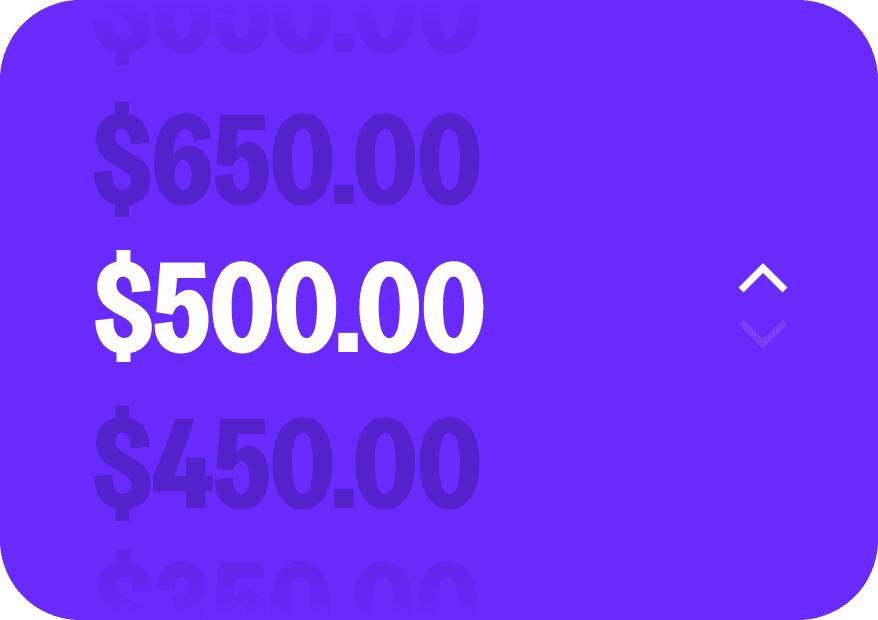
Enter how much crypto you want to buy, or set the value in your local currency. Live pricing updates ensure you always see the current rate.

Pay with credit or debit cards, Apple Pay, Google Pay, bank transfers, or local payment services available in your region.
Your crypto is delivered directly delivered to your Ramp Network wallet, whether it’s a self-custodial option like Ledger or MetaMask, or a custodial exchange account.
Buy Crypto.
Hold All the Keys.
We believe you should be in control of your assets at every step of the journey. We send your assets directly to your self-custody wallet with a custodial account you have to transfer out of.
Explore more than 100 cryptocurrencies.
From Bitcoin and Ethereum to Solana, Cardano, and Tether, Ramp Network makes it simple for anyone to buy and start using crypto.









Start in minutes
Know exactly where your money is
More transactions, less friction
Instant updates on every step
Trusted worldwide for buying crypto.


I am not an expert on crypto but this platform certainly is by far the most reliable and transparent to buy crypto. No hidden fees or surprises. Customer support is very good and prompt.

I am not an expert on crypto but this platform certainly is by far the most reliable and transparent to buy crypto. No hidden fees or surprises. Customer support is very good and prompt.
I am not an expert on crypto but this platform certainly is by far the most reliable and transparent to buy crypto. No hidden fees or surprises. Customer support is very good and prompt.
I am not an expert on crypto but this platform certainly is by far the most reliable and transparent to buy crypto. No hidden fees or surprises. Customer support is very good and prompt.
I am not an expert on crypto but this platform certainly is by far the most reliable and transparent to buy crypto. No hidden fees or surprises. Customer support is very good and prompt.
I am not an expert on crypto but this platform certainly is by far the most reliable and transparent to buy crypto. No hidden fees or surprises. Customer support is very good and prompt.
I am not an expert on crypto but this platform certainly is by far the most reliable and transparent to buy crypto. No hidden fees or surprises. Customer support is very good and prompt.
I am not an expert on crypto but this platform certainly is by far the most reliable and transparent to buy crypto. No hidden fees or surprises. Customer support is very good and prompt.
I am not an expert on crypto but this platform certainly is by far the most reliable and transparent to buy crypto. No hidden fees or surprises. Customer support is very good and prompt.
I am not an expert on crypto but this platform certainly is by far the most reliable and transparent to buy crypto. No hidden fees or surprises. Customer support is very good and prompt.
I am not an expert on crypto but this platform certainly is by far the most reliable and transparent to buy crypto. No hidden fees or surprises. Customer support is very good and prompt.
I am not an expert on crypto but this platform certainly is by far the most reliable and transparent to buy crypto. No hidden fees or surprises. Customer support is very good and prompt.
I am not an expert on crypto but this platform certainly is by far the most reliable and transparent to buy crypto. No hidden fees or surprises. Customer support is very good and prompt.
I am not an expert on crypto but this platform certainly is by far the most reliable and transparent to buy crypto. No hidden fees or surprises. Customer support is very good and prompt.
I am not an expert on crypto but this platform certainly is by far the most reliable and transparent to buy crypto. No hidden fees or surprises. Customer support is very good and prompt.
I am not an expert on crypto but this platform certainly is by far the most reliable and transparent to buy crypto. No hidden fees or surprises. Customer support is very good and prompt.
Need help?
We’ve got you covered.
Everything you need to know about cutting edge crypto wallet.
How long do refunds normally take?
What should I do if my refund is taking longer than expected?
Where is the crypto I bought?
Where is the crypto I sold?
Why is my transaction delayed?
Account verification issues
Locked Accounts